Download JRiver Media Center (Old) – media player, music player, video player, CD creator, TV tuner, file organizer, media library, multimedia software, media management, media center, media jukebox
Overview
JRiver Media Center (Old), formerly known as Media Jukebox, is a comprehensive multimedia software designed to serve as a unified solution for playing, organizing, and managing digital media files. Tailored for users who maintain extensive music and video collections, the application streamlines the process of accessing and managing multimedia content from various sources. It functions as both a playback engine and a file management system, reducing the need for multiple standalone applications. The software supports a wide array of file formats, enabling seamless playback without compatibility issues. Its core purpose is to consolidate media operations—ranging from audio and video playback to CD creation and TV tuner recording—into a single, cohesive interface.
Target users include home media enthusiasts, digital archivists, and individuals with large multimedia libraries who seek an efficient way to catalog and access their content. The app is particularly useful for those who use external devices such as cameras, portable media players, or TV tuners, as it allows direct file import and synchronization. While the software was originally developed for Windows, it continues to serve as a reliable tool for media management, especially for users who value customization and control over their digital media experience. Although the developer did not provide additional technical details about its architecture or integration capabilities, the app remains a notable presence in the desktop media ecosystem.
Key Features & Functionality
- All-in-One Media Playback: Supports a broad range of audio and video formats, enabling users to play files without requiring external codecs or conversion tools. This feature is ideal for users with diverse media libraries containing legacy or uncommon formats.
- File Organization and Cataloging: Offers built-in tools to index and categorize media files by metadata such as artist, album, genre, and file type. This allows for quick search and retrieval, especially beneficial for large music or video collections.
- Device Integration: Enables direct import of multimedia files from portable devices and cameras, simplifying the process of backing up and organizing content from external sources.
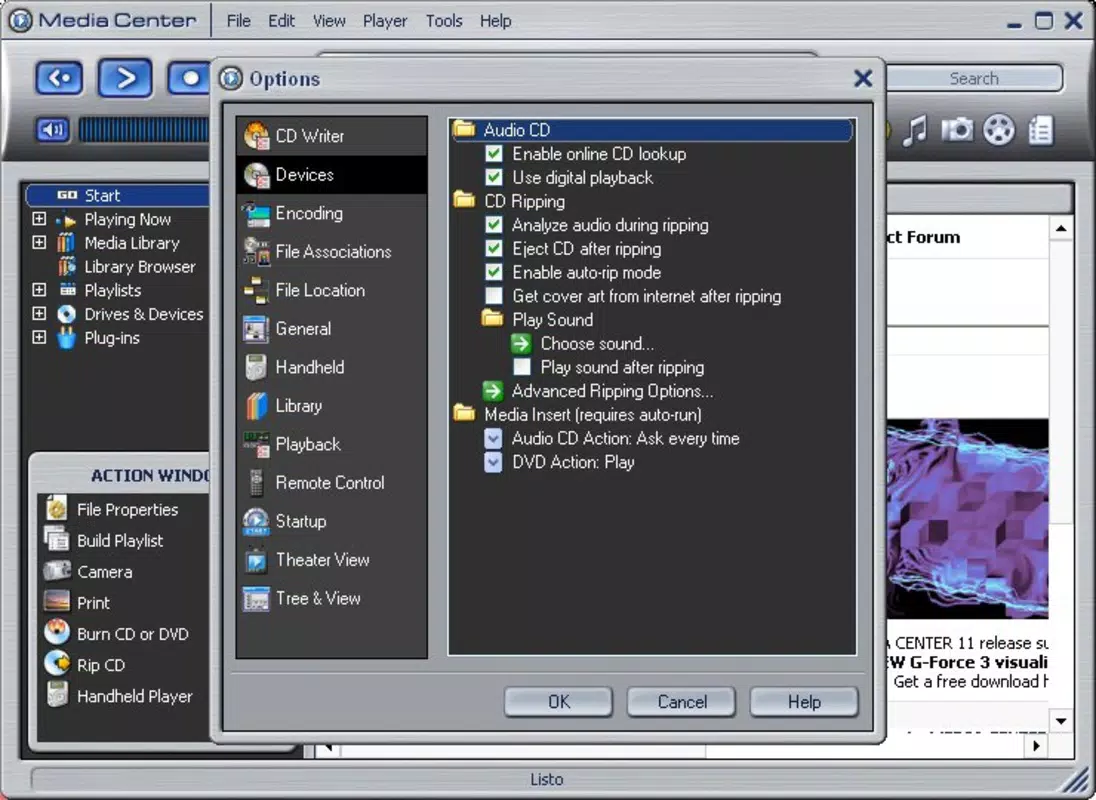
- CD Creation: Provides a straightforward interface for burning audio CDs and video CDs, supporting standard disc formats and allowing users to create physical backups of their favorite media.
- TV Tuner Recording: When connected to a compatible TV tuner, the software can record live broadcasts directly to the hard drive, offering a convenient way to archive television programs and movies for later viewing.
Each feature is designed to enhance user efficiency. For example, a user with a collection of home videos from a digital camera can import them directly into the app, organize them by date or event, and then burn them onto a CD for archival purposes. Similarly, someone with a TV tuner can schedule recordings of favorite shows and access them at any time, transforming the software into a personal media hub.
Interface, UX & Performance
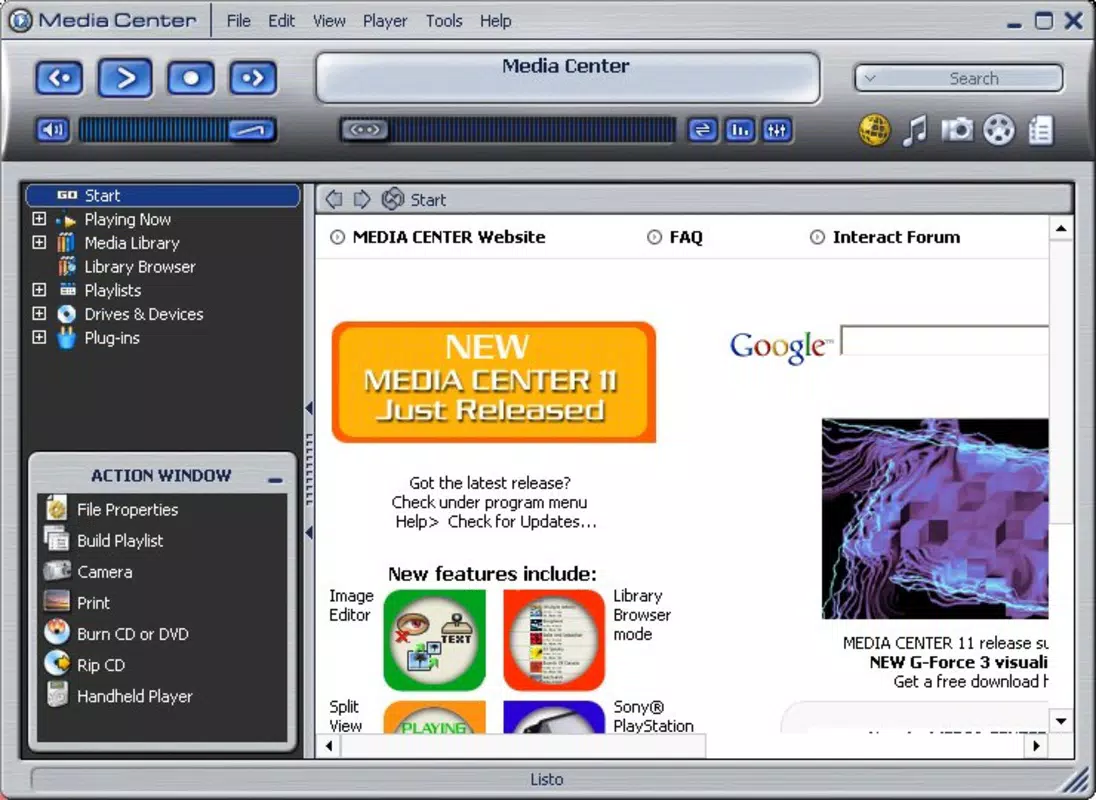
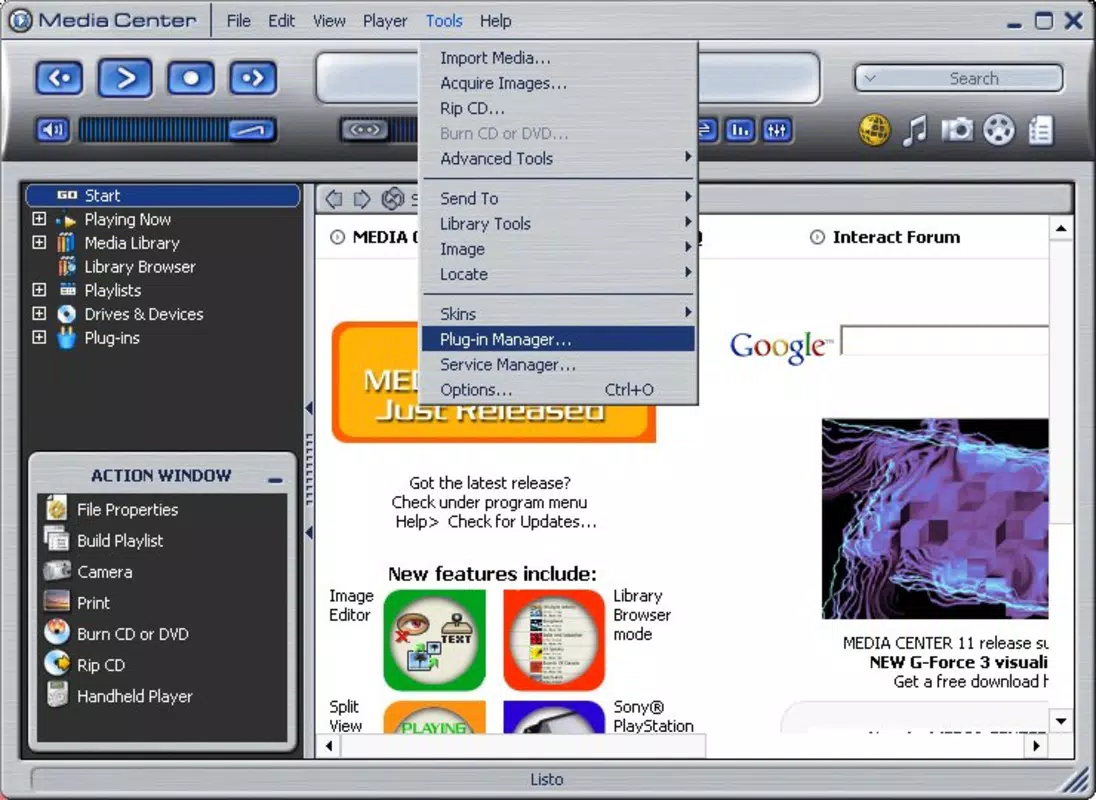
The user interface of JRiver Media Center (Old) is structured around a customizable layout, allowing users to arrange panels and views based on their workflow preferences. The visual style is functional and minimalistic, prioritizing usability over flashy design. Navigation is handled through a series of collapsible menus and toolbars, with key functions accessible via context-sensitive options. The application supports drag-and-drop operations, which simplifies file management and media organization.
Performance is generally stable on supported Windows systems, though the developer did not list formal performance metrics or device-specific benchmarks. The software operates efficiently with moderate system resources, making it suitable for use on both older and modern desktops. Responsiveness is consistent during playback and file indexing, though complex library operations may require a few seconds of processing time. Stability appears reliable during extended use, with no reported crashes or data corruption issues in available documentation. Although the developer did not specify minimum OS requirements, the application is known to run on a range of Windows platforms, including older versions.
Platform Compatibility & Technical Requirements
JRiver Media Center (Old) is designed exclusively for the Windows platform. The current version, 24.0.111, has a file size of 137.4 MB, making it a lightweight installation for most systems. The software is available at no cost, with a free license model that supports basic functionality. While the developer did not specify minimum OS requirements or hardware specifications, the app is known to operate on various Windows environments, including Windows 7 and later versions. The absence of detailed technical information means users should proceed with caution on systems with limited resources or outdated configurations. Compatibility with newer Windows updates has not been officially confirmed, but the software remains functional for users who prioritize media playback and organization over cutting-edge features.
Pros and Cons
Pros
- Supports a wide variety of multimedia file formats without requiring additional codecs.
- Offers robust file cataloging and metadata management for large media libraries.
- Enables seamless integration with portable devices and cameras for easy file import.
- Includes built-in tools for creating audio and video CDs.
- Provides TV tuner recording functionality for live broadcast capture.
Cons
- Not available for mobile platforms such as Android or iOS.
- Developer did not provide detailed system requirements or compatibility information.
- Interface may require a learning curve for new users unfamiliar with media center software.
- Latest version was released in 2015, suggesting limited ongoing updates.
- May not support the latest Windows features or security protocols.
FAQ
Is JRiver Media Center (Old) safe to download and install?
The software is distributed by JRiver, Inc., a known developer in the media management space. It is available for free and does not include known malware or adware. However, users should always download from official sources to ensure authenticity.
Can I use JRiver Media Center (Old) on my current Windows system?
The developer did not specify minimum OS requirements. However, the software is known to run on Windows 7 and later versions. Users with older systems may experience compatibility issues.
Does JRiver Media Center (Old) support mobile devices?
No. The application is designed exclusively for Windows desktop systems and is not available for Android or iOS platforms.
Is there a free version of JRiver Media Center (Old)?
Yes. The software is offered at no cost, with full access to core features such as media playback, file organization, CD creation, and TV tuner recording.
How often is JRiver Media Center (Old) updated?
The latest version was released on March 5, 2015. While the software remains functional, updates are infrequent, and new features are unlikely to be added in the near future.
Final Thoughts
JRiver Media Center (Old) stands as a dependable, all-in-one solution for users seeking to manage and play multimedia files on Windows. Its ability to handle diverse formats, organize large libraries, and support physical media creation makes it a valuable tool for media enthusiasts. While the lack of recent updates and mobile availability may limit its appeal to modern users, it remains a solid choice for those who prioritize functionality over cutting-edge design. The free license model enhances its accessibility, particularly for users maintaining legacy media collections or working with older hardware. For individuals looking for a stable, customizable media center with deep integration capabilities, this software delivers consistent performance. If you're searching for a secure, efficient way to organize your music, videos, and live recordings, JRiver Media Center (Old) offers a proven solution.
Download JRiver Media Center (Old) now


